Retail to Tech Resume: A Step-by-Step Guide with Skills and Examples for 2026

Moving from retail into technology is not about pretending your previous career never happened. It is about translating what you already know into language that makes sense to a technology hiring manager.
A strong retail to tech resume connects three things clearly:
- The target technology role.
- The transferable skills you already use.
- Evidence that you are building the technical capability to perform the new job.
Retail professionals often underestimate how much relevant experience they have. Customer support, troubleshooting, inventory systems, payment platforms, staff training, performance tracking, process improvement, loss prevention, and store operations all overlap with roles across customer success, IT support, SaaS sales, product operations, implementation, data operations, and cybersecurity.
The problem is rarely a complete lack of relevant experience. The problem is that the resume still describes the candidate as a retail employee rather than as an emerging technology professional.
Do not ask employers to imagine how your retail experience might transfer. Make the connection explicit in your summary, skills, achievements, projects, and job titles.
What makes a retail-to-tech resume different?
A traditional retail resume is designed to prove that you can serve customers, hit sales goals, manage stock, and keep daily operations running. A career-change resume must do something more difficult: prove that those results are relevant to a new environment.
That means your resume should not be organized around every duty you performed. It should be organized around the problems you solved.
For example:
| Retail experience | Technology value |
|---|---|
| Resolved customer complaints | Troubleshooting, de-escalation, customer support |
| Trained new employees | User onboarding, documentation, enablement |
| Managed point-of-sale issues | Software support, incident triage, system familiarity |
| Tracked sales and inventory | Data analysis, reporting, operational accuracy |
| Improved store procedures | Process optimization, workflow design |
| Sold products against targets | SaaS sales, pipeline management, discovery |
| Prevented stock loss | Risk awareness, controls, security mindset |
| Coordinated shifts and coverage | Resource planning, scheduling, team operations |
The experience has not changed. The framing has.
Technology experience is not limited to working as a software engineer. It can include supporting users, configuring tools, analyzing data, documenting processes, managing software-based workflows, testing systems, training teams, or completing practical projects.
The best technology roles for retail professionals
The right target depends on which part of retail you handled best. Someone who enjoys solving device and system problems may fit IT support. A strong salesperson may transition more naturally into SaaS sales. A store manager who excels at reporting and process improvement may be better suited to operations or implementation.
| Target role | Strong retail background | Skills to emphasize | Helpful proof |
|---|---|---|---|
| IT Support Specialist | POS troubleshooting, device setup, staff assistance | Troubleshooting, ticketing, hardware, communication | Home lab, CompTIA studies, support projects |
| Customer Success Specialist | Customer retention, complaint resolution, relationship building | Onboarding, adoption, account support, communication | CRM practice, onboarding plan, case study |
| SaaS Sales Representative | Sales targets, upselling, product knowledge | Discovery, objection handling, pipeline management | CRM training, mock sales process, measurable sales results |
| Technical Support Representative | Product support, issue escalation, customer education | Root-cause thinking, support documentation, empathy | Troubleshooting guides, help-desk simulations |
| Junior Data Analyst | Sales reports, inventory analysis, forecasting | Excel, SQL, dashboards, data cleaning | Portfolio dashboard, SQL project, business analysis |
| Product Operations Coordinator | Store processes, launches, team coordination | Workflow improvement, reporting, cross-functional communication | Process map, launch plan, operational case study |
| Implementation Specialist | Staff training, system rollout, operational change | Training, configuration, project coordination | Software rollout example, onboarding documentation |
| QA Tester | Detail-oriented checking, policy compliance, issue reporting | Test cases, bug reporting, attention to detail | Sample test plan, bug reports, testing course |
| Cybersecurity Support | Loss prevention, access control, compliance | Risk awareness, incident reporting, security fundamentals | Security lab, certification studies, documented exercises |
| E-commerce Coordinator | Online orders, merchandising, customer journeys | CMS, analytics, product listings, conversion thinking | Storefront project, analytics report, content updates |
Choose one primary target role for each resume. A document that tries to target IT support, data analysis, software development, cybersecurity, and sales at the same time will feel unfocused.
Choose a realistic first technology role
“Tech” is an industry, not a job title. Before rewriting your resume, decide what job you are actually pursuing.
A useful target role should satisfy three conditions:
- It uses at least two or three strengths from your retail background.
- You can build credible entry-level proof within weeks or months.
- The job description does not depend entirely on experience you cannot yet demonstrate.
For many retail candidates, the easiest transition is not directly into software engineering. It is into a role where customer knowledge, operations, communication, or troubleshooting already matters.
Ask these questions before choosing
- Did I enjoy helping customers or fixing systems more?
- Was I strongest in selling, reporting, training, operations, or compliance?
- Which software did I use regularly?
- Did coworkers rely on me when something went wrong?
- What measurable results can I prove?
- Which technical skill am I willing to practice consistently?
Your answers should point toward a narrower career path.
Employers hire for specific problems. A broad career objective may sound flexible, but it usually makes the candidate appear unprepared. Name the role you want and build the resume around it.
Build a transferable-skills inventory
Start with the work you actually performed. Then identify the business and technical capability behind it.
Create four lists:
- Customer problems you solved.
- Systems and tools you used.
- Processes you improved.
- Results you achieved.
A retail employee might write:
- Helped customers.
- Used the till.
- Trained staff.
- Counted inventory.
- Opened and closed the store.
Those statements are accurate, but they are too shallow for a career-change resume.
A stronger skills inventory might identify:
- Resolved product, payment, account, and order issues.
- Diagnosed point-of-sale errors and escalated recurring system problems.
- Trained new hires on software, workflows, and service standards.
- Reconciled stock records and investigated discrepancies.
- Coordinated opening and closing procedures under strict control requirements.
Now the experience begins to sound relevant to support, implementation, operations, and security-focused roles.
Rewrite your professional summary
Your summary should not begin with an apology for lacking technology experience. It should establish your new direction immediately.
A strong retail-to-tech summary usually contains four elements:
- Your target role.
- Your most relevant transferable strengths.
- Your technical preparation.
- One or two credible outcomes from retail.
Weak summary
Hardworking retail worker looking for an opportunity to enter the technology industry. Fast learner with good communication skills and a passion for computers.
This is vague, unsupported, and focused on what the candidate wants.
Strong summary
Entry-level IT support professional with five years of retail operations experience resolving customer, payment, device, and point-of-sale issues in fast-paced environments. Skilled in troubleshooting, user communication, process documentation, and staff training, with hands-on practice in Windows administration, ticket workflows, networking fundamentals, and hardware support.
This version gives the employer a clear role, relevant experience, technical preparation, and useful capabilities.
Summary formula
Use this structure:
Target role + relevant retail background + transferable strengths + technical proof + business value
Customer success professional transitioning from six years in retail leadership, with experience improving customer retention, coaching teams, resolving escalated issues, and supporting high-volume accounts. Comfortable using CRM and reporting tools to track customer needs, document follow-ups, and improve service consistency.
Translate retail experience into technology language
The experience section carries more weight than the career objective. Hiring managers need to see evidence that you can solve problems, work with systems, communicate clearly, and learn processes.
The best bullet points combine an action, a problem, and a result.
Before-and-after examples
| Weak retail bullet | Strong technology-oriented rewrite |
|---|---|
| Helped customers with problems | Resolved customer account, payment, order, and product issues while documenting recurring problems for management review |
| Trained new staff | Trained 14 new employees on point-of-sale software, inventory workflows, customer procedures, and data-handling standards |
| Worked with the POS system | Diagnosed common point-of-sale and payment-terminal issues, restoring service quickly and escalating hardware faults with clear incident details |
| Managed stock | Reconciled inventory records across store systems, investigated discrepancies, and improved the accuracy of weekly stock reporting |
| Answered phone calls | Managed high-volume customer inquiries across phone and in-person channels, prioritized urgent cases, and maintained clear follow-up notes |
| Met sales goals | Exceeded quarterly sales targets by using needs-based discovery, product education, and structured follow-up |
| Opened and closed the store | Executed daily access, cash-control, system, and security procedures with consistent compliance |
| Handled returns | Investigated order and payment records to resolve return disputes while following fraud-prevention and customer-service policies |
Use technology terms only when they are true
Do not rename ordinary duties with exaggerated technical language. If you restarted a payment terminal, say that. Do not claim you administered enterprise infrastructure.
Credibility matters more than sophistication.
Your resume should translate experience, not inflate it. A hiring manager may ask you to explain any tool, workflow, project, or result you include.
Add technical proof outside your job history
Transferable skills create relevance, but practical proof reduces doubt.
You can build that proof through:
- Personal projects.
- Short freelance or volunteer work.
- Labs and simulations.
- Certifications or structured courses.
- Portfolio case studies.
- Process documents.
- Dashboards.
- Troubleshooting guides.
- Test cases.
- Sample onboarding materials.
The strongest projects resemble the actual work of the target role.
Project ideas by target role
| Target role | Practical project |
|---|---|
| IT support | Build a small Windows and Linux lab, create user accounts, troubleshoot connectivity, and document common fixes |
| Data analyst | Analyze a sample retail dataset with Excel or SQL and create a dashboard showing trends and recommendations |
| Customer success | Create a 30-day customer onboarding plan, health-score framework, and renewal-risk checklist |
| SaaS sales | Build a sample pipeline, qualification framework, discovery script, and follow-up sequence |
| QA tester | Test a public demo application and document test cases, expected results, defects, and severity |
| Product operations | Map a broken retail workflow, identify bottlenecks, and propose a measurable improved process |
| Cybersecurity | Complete a basic security lab covering access control, phishing analysis, log review, and incident documentation |
| Implementation | Create a fictional software rollout plan with milestones, training steps, risks, and adoption tracking |
How to describe a project
Use the same standard as paid experience:
- State what you built or analyzed.
- Mention the tools.
- Explain the problem.
- Show the output.
- Include a result or learning outcome.
Example:
Retail Sales Dashboard Project
- Cleaned and organized 5,000 rows of sample sales and inventory data using Excel.
- Built pivot-table reports to compare revenue, returns, and product performance by category.
- Created a dashboard that highlighted slow-moving stock and weekly sales trends.
- Wrote a short recommendation memo based on the findings.
That is stronger than listing “Excel” in a skills section without evidence.
Build a focused skills section
A career-change skills section should support the target role rather than display every tool you have encountered.
Use grouped categories when helpful.
IT support example
Technical Support: Windows, macOS fundamentals, hardware troubleshooting, software installation, user account support
Networking: TCP/IP basics, DNS, DHCP, Wi-Fi troubleshooting
Tools: Ticketing workflows, remote support concepts, Microsoft 365
Professional: Incident documentation, customer communication, prioritization, training
Data analyst example
Analysis: Data cleaning, trend analysis, KPI reporting, root-cause analysis
Tools: Excel, SQL, Power BI
Business: Sales reporting, inventory analysis, operational recommendations
Professional: Stakeholder communication, documentation, attention to detail
Customer success example
Customer Success: Onboarding, adoption support, retention, escalation management
Tools: CRM workflows, spreadsheets, reporting dashboards
Business: Account follow-up, customer education, service improvement
Professional: Relationship building, written communication, cross-team coordination
A skill becomes more convincing when it also appears in a project or achievement. “SQL” is stronger when the resume includes a SQL analysis project. “Troubleshooting” is stronger when a bullet shows a real issue you resolved.
Optimize the resume for applicant tracking systems
An ATS-friendly resume is usually simple, direct, and easy to parse.
Use:
- Standard section headings.
- A single-column layout.
- Clear job titles and dates.
- Plain bullet points.
- Keywords that match the target job.
- Consistent formatting.
- Text-based PDF or DOCX files when requested.
Avoid:
- Important details inside images.
- Decorative skill charts.
- Text boxes that break reading order.
- Unusual section names.
- Keyword stuffing.
- A generic resume used for every application.
Where to place target keywords
Use relevant keywords naturally in:
- The headline.
- The summary.
- The skills section.
- Project descriptions.
- Experience bullet points.
- Certification or training sections.
For an IT support role, terms may include troubleshooting, ticketing, Windows, hardware, software installation, user support, Microsoft 365, networking, escalation, and documentation.
For customer success, terms may include onboarding, adoption, retention, CRM, account management, customer health, renewals, escalation, training, and stakeholder communication.
Do not copy every phrase from the job description. Select the requirements you genuinely match.
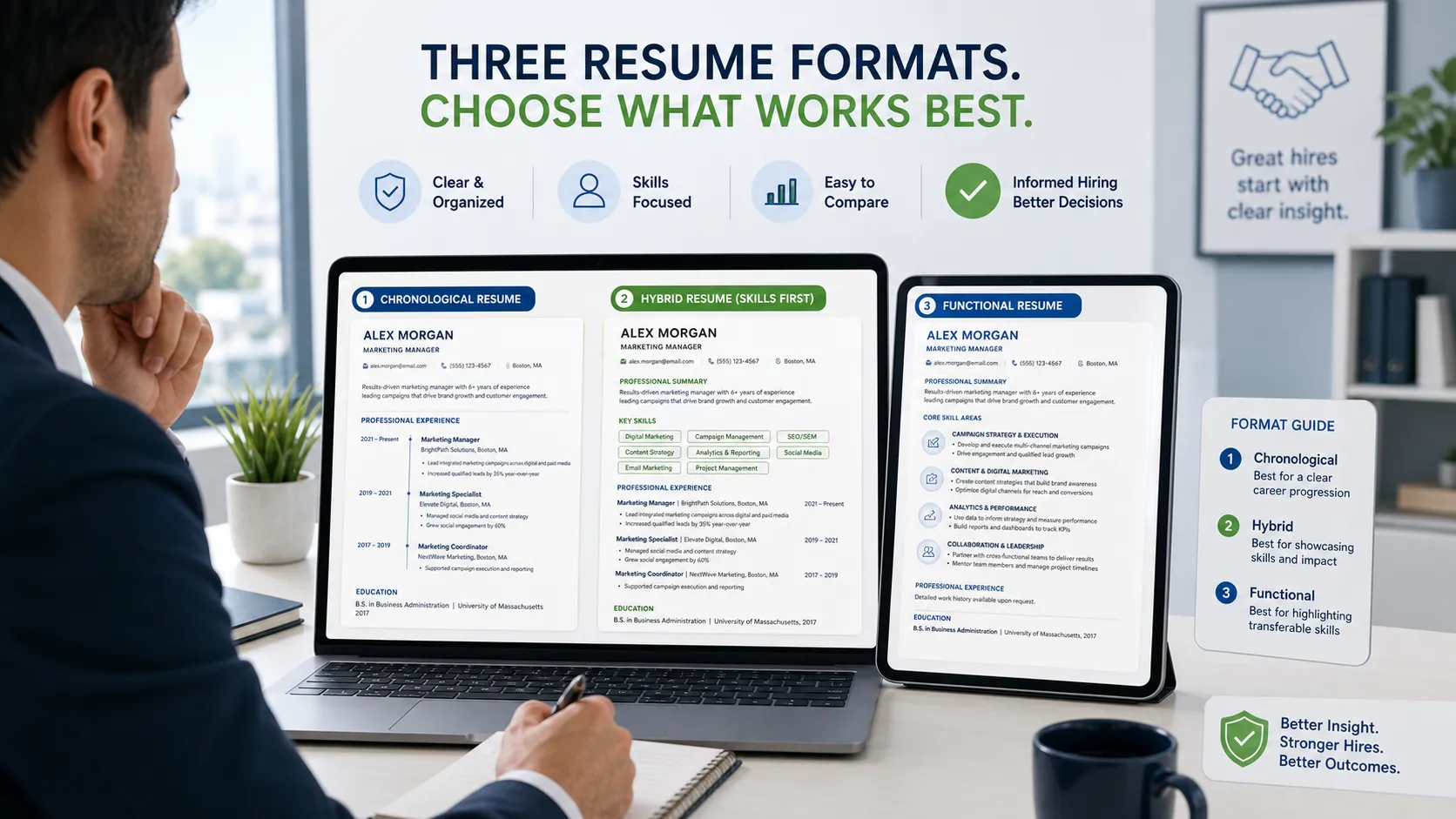
Use a resume structure that supports the career change
For most retail-to-tech applicants, this order works well:
- Name and contact details.
- Target headline.
- Professional summary.
- Technical and transferable skills.
- Projects.
- Professional experience.
- Education and certifications.
Putting projects before retail experience can help when the projects provide direct proof for the target role. Candidates with stronger professional overlap may keep experience above projects.
Recommended headline examples
- Entry-Level IT Support Specialist
- Customer Success Specialist
- Junior Data Analyst
- Technical Support Representative
- SaaS Sales Development Representative
- Product Operations Coordinator
- Junior QA Tester
- Implementation Support Specialist
- E-commerce Operations Coordinator
- Cybersecurity Support Candidate
Do not use a headline such as “Retail Associate Seeking Tech Opportunity.” It keeps the old identity at the center of the resume.
Retail-to-tech resume summary examples
Retail associate to IT support
Entry-level IT support specialist with four years of retail experience assisting customers, resolving payment and point-of-sale issues, and training colleagues on store systems. Hands-on experience with Windows troubleshooting, hardware setup, networking fundamentals, and structured incident documentation.
Store manager to customer success
Customer success professional with seven years of retail leadership experience managing customer relationships, resolving escalations, coaching teams, and improving service consistency. Skilled in onboarding, account follow-up, CRM workflows, performance reporting, and cross-functional communication.
Sales associate to SaaS sales
Results-focused sales professional transitioning from high-volume retail into SaaS sales. Experienced in needs discovery, product demonstrations, objection handling, upselling, and target achievement, with additional training in CRM pipeline management and business-to-business prospecting.
Retail supervisor to implementation specialist
Implementation support candidate with experience coordinating store processes, training employees, rolling out new procedures, and supporting point-of-sale changes across a busy retail environment. Strong in documentation, user education, issue tracking, and operational follow-through.
Retail cashier to technical support
Technical support candidate with three years of frontline experience resolving payment, account, device, and transaction issues under time pressure. Known for patient communication, accurate problem documentation, and the ability to explain unfamiliar processes in simple terms.
Retail operations to data analyst
Junior data analyst with a background in retail reporting, inventory reconciliation, sales tracking, and operational problem-solving. Skilled in Excel, SQL fundamentals, data cleaning, dashboard creation, and translating findings into practical business recommendations.
Loss prevention to cybersecurity
Cybersecurity support candidate with retail loss-prevention experience involving incident reporting, access awareness, policy enforcement, and risk identification. Developing hands-on skills in security fundamentals, log review, phishing analysis, access control, and incident documentation.
Visual merchandiser to UX support
User experience support candidate with a retail visual-merchandising background and experience improving product discovery, customer flow, and presentation clarity. Brings strong observational skills, customer empathy, testing discipline, and practical training in user research and interface evaluation.
Retail coordinator to product operations
Product operations candidate with experience coordinating launches, updating store procedures, tracking performance, and aligning daily work across sales, inventory, and management teams. Skilled in workflow documentation, reporting, issue prioritization, and process improvement.
E-commerce retail to digital operations
Digital operations specialist with experience managing online orders, product information, customer issues, inventory updates, and fulfillment workflows. Comfortable working across e-commerce platforms, spreadsheets, content systems, and performance reports to improve accuracy and customer experience.
Retail experience bullet examples for technology resumes
Use these as models rather than copying them word for word.
Customer service and support
- Resolved an average of 40 customer inquiries per shift involving payments, returns, accounts, orders, and product use.
- Investigated recurring transaction problems and provided clear escalation notes to managers and support teams.
- Explained complex policies and product features in simple language, reducing avoidable repeat questions.
- Prioritized urgent customer issues while maintaining accurate records and follow-up commitments.
Systems and troubleshooting
- Served as the first point of contact for common point-of-sale, scanner, printer, and payment-terminal issues.
- Documented system failures with timestamps, error details, attempted fixes, and operational impact.
- Supported staff during software updates and new process rollouts.
- Identified recurring checkout problems and recommended a revised troubleshooting checklist.
Training and onboarding
- Trained new hires on software navigation, transaction workflows, inventory procedures, and customer-data handling.
- Created quick-reference notes that improved consistency during employee onboarding.
- Coached team members on handling complex customer situations and escalating issues appropriately.
- Supported adoption of new store procedures through demonstrations and follow-up guidance.
Reporting and analysis
- Reviewed weekly sales, returns, and inventory reports to identify unusual trends and stock discrepancies.
- Reconciled physical inventory with system records and investigated mismatches.
- Used spreadsheet reports to support staffing, stock planning, and promotional decisions.
- Presented operational findings to management with practical recommendations.
Sales and account growth
- Exceeded monthly targets through needs-based conversations, product matching, and structured follow-up.
- Increased add-on sales by explaining product value rather than relying on scripted pitches.
- Maintained detailed knowledge of changing products, promotions, and customer eligibility requirements.
- Built repeat customer relationships through reliable follow-up and issue ownership.
Full retail-to-tech resume example
Entry-level IT support specialist with five years of retail operations experience resolving customer, payment, device, and point-of-sale issues in fast-paced environments. Skilled in troubleshooting, incident documentation, user communication, and employee training, with hands-on practice in Windows administration, hardware support, networking fundamentals, and ticket workflows.
Windows 11, Microsoft 365, hardware troubleshooting, software installation, user account support, TCP/IP fundamentals, DNS, DHCP, Wi-Fi troubleshooting, ticket documentation
- Installed and configured Windows and Linux virtual machines for troubleshooting practice
- Created local users, permissions, shared folders, and basic backup procedures
- Diagnosed simulated DNS, connectivity, storage, and software installation issues
- Wrote step-by-step support notes for ten common incidents
- Created concise troubleshooting guides for password resets, printer failures, slow devices, and Wi-Fi issues
- Structured each guide around symptoms, likely causes, diagnostic steps, resolution, and escalation criteria
- Tested instructions with nontechnical users and simplified unclear steps
- Acted as the first point of contact for point-of-sale, scanner, printer, and payment-terminal issues across a 12-person team
- Documented recurring system failures and escalated problems with clear error details, business impact, and attempted fixes
- Trained 18 employees on store software, transaction procedures, inventory workflows, and customer-data standards
- Resolved high-priority customer and payment issues while maintaining accurate follow-up records
- Introduced a daily equipment checklist that reduced preventable opening delays
- Managed high-volume customer inquiries involving orders, returns, payments, warranties, and product use
- Exceeded quarterly sales targets through needs discovery, product education, and structured follow-up
- Reconciled order and inventory records to resolve discrepancies and prevent repeat customer issues
- Supported colleagues with device setup, login problems, and transaction errors
CompTIA A+ studies, Windows support fundamentals, networking fundamentals
Optional cover letter opening
Dear Hiring Manager,
I am applying for the IT Support Specialist position after five years in retail operations, where I became the person colleagues relied on when point-of-sale systems, payment terminals, printers, or customer accounts stopped working as expected.
That experience taught me to stay calm, gather accurate information, test practical solutions, document what happened, and explain next steps clearly to nontechnical users. I have since strengthened those skills through hands-on Windows, hardware, networking, and ticket-documentation projects.
Sincerely,
Jordan Taylor
Common retail-to-tech resume mistakes
Hiding the retail background
Some candidates remove useful experience because they believe it looks unrelated. This can create unexplained gaps and eliminate proof of reliability, communication, leadership, and measurable performance.
Keep the experience, but rewrite it around relevant outcomes.
Listing courses without practical proof
Completing a course is useful. Showing what you built with the knowledge is better.
A small project with clear documentation can be more persuasive than a long list of unfinished training programs.
Using a generic career objective
Statements such as “seeking a challenging role in a growing company” do not help the employer understand your value.
Replace them with a targeted summary.
Overloading the skills section
A long list of tools can make the resume less believable, especially when none appears elsewhere.
Prioritize the tools required for the target role and support them with projects or work examples.
Writing only retail duties
“Opened the store,” “helped customers,” and “stocked shelves” describe activity but not capability.
Show troubleshooting, reporting, training, accuracy, process improvement, and measurable results.
Applying to too many unrelated technology roles
A resume for IT support should not look identical to a resume for data analysis. The transferable experience may stay the same, but the summary, skills, projects, and bullet order should change.
Do not change your actual job title to a technology title you did not hold. You can add a clarifying headline at the top of the resume, but employment titles should remain accurate.
A 30-day retail-to-tech resume plan
Week 1: Select the target
- Review entry-level job descriptions.
- Choose one primary role.
- Identify recurring requirements.
- Match those requirements to your retail experience.
- Note the most important skill gaps.
Week 2: Build one practical project
- Choose a project that resembles the target job.
- Use realistic tools and workflows.
- Document your process.
- Produce a visible output such as a dashboard, guide, test plan, or support log.
- Add the project to the resume.
Week 3: Rewrite the resume
- Replace the generic objective.
- Add a target headline.
- Reorder skills by relevance.
- Rewrite retail bullets around transferable value.
- Add measurable results.
- Remove unrelated detail.
Week 4: Tailor and apply
- Compare the resume with each job description.
- Adjust keywords honestly.
- Reorder the most relevant bullets.
- Check formatting and file type.
- Prepare stories that explain the career transition in interviews.
- The target role is obvious within the first few lines.
- Retail achievements are translated into technology-relevant value.
- Technical skills are supported by projects or training.
- Bullet points show outcomes rather than duties alone.
- The document is simple, readable, and tailored to one job family.
- Every claim can be explained confidently in an interview.
How to explain the career change
A retail-to-tech story should sound deliberate, not desperate.
A useful structure is:
- What you learned in retail.
- Which part of the work led you toward technology.
- What you have done to prepare.
- Why the target role is a logical next step.
Example:
In retail operations, I often became the person colleagues called when a payment terminal, printer, user login, or point-of-sale workflow failed. I enjoyed diagnosing those problems more than any other part of the role, so I began building formal IT support skills through labs and structured training. I am now targeting support roles where I can combine technical troubleshooting with the customer communication and urgency I developed in retail.
The story works because it connects past experience, present preparation, and future direction.
Final takeaway
A strong retail-to-tech resume does not erase your previous career. It converts that career into evidence.
Retail can demonstrate customer empathy, troubleshooting, resilience, sales discipline, operational judgment, training ability, data accuracy, risk awareness, and comfort with fast-moving systems. Those strengths become valuable when the resume connects them to a specific technology role and supports them with current technical proof.
Choose one destination, rewrite your experience around relevant problems, build one or two credible projects, and make the new professional direction obvious from the top of the page.
FAQ
Can I get a technology job with only retail experience?
Yes, especially in roles such as IT support, customer success, SaaS sales, implementation support, product operations, e-commerce, and junior data analysis. Your chances improve when you pair transferable retail experience with role-specific projects and technical training.
Should I remove retail jobs from my tech resume?
Usually no. Retail experience can prove communication, troubleshooting, leadership, sales, accuracy, and process discipline. Keep it, but reduce unrelated duties and emphasize achievements that support the target technology role.
What should I put in a retail-to-tech resume summary?
Name the target role, highlight the most relevant retail strengths, mention your technical preparation, and include credible business value. Avoid vague claims such as “passionate about technology” unless the resume also shows practical evidence.
Which skills transfer from retail to technology?
Common transferable skills include customer support, problem-solving, troubleshooting, training, sales, documentation, reporting, inventory analysis, process improvement, prioritization, escalation management, and risk awareness.
Do I need certifications to move from retail into tech?
Not always. Certifications can provide structure and credibility, but employers also look for practical proof. A focused project, well-written case study, home lab, dashboard, test plan, or troubleshooting guide can demonstrate that you can apply what you have learned.